



No products in the cart.
-58%






Computer Accessories, Computer Components
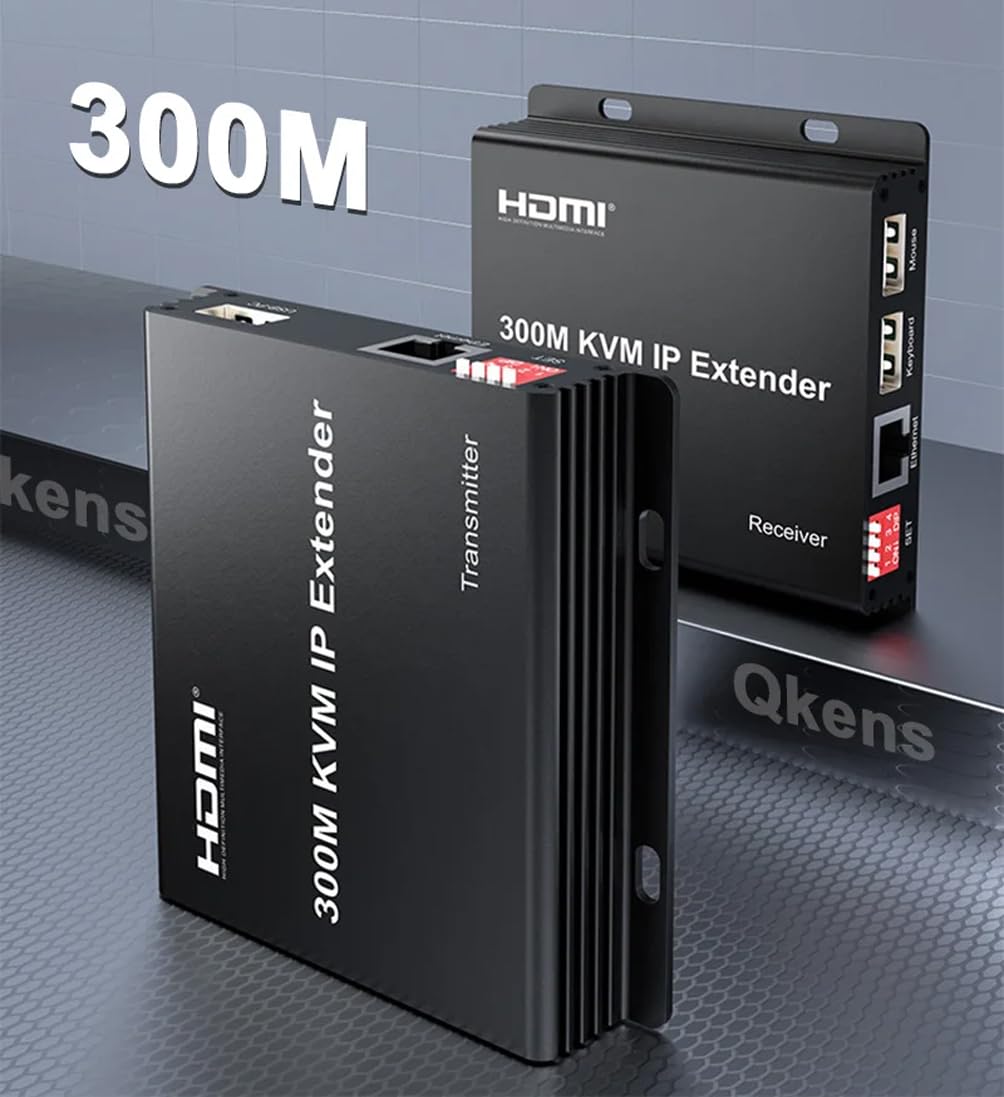
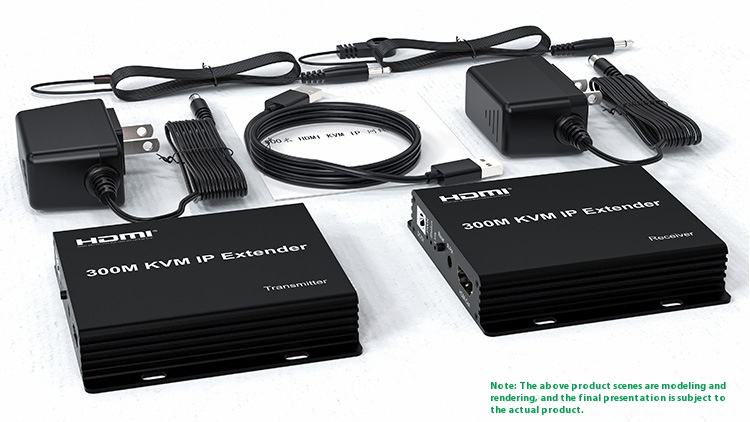
foxaa 300M IP HDMI KVM Extender by Rj45 Cat6 Ethernet Cable Video Transmitter Receiver Extension Muitlpoint Cascade Extender Support via Network Switch.
Availability:
1 in stock
- 1. Connect the HDMI source (such as DVD, PS3, STB) to the “HDMI IN” of transmitter by HDMI cable. 2: Connect the “HDMI out” of Receiver to display by HDMI cable.
- Connect the Transmitter and Receiver with one cat5e/6 cable (recommend). the furthest distance is 300M.(SET DIP number 1-4 must be dialed downward.)
- Plug the IR receiver to the RX, and IR transmitter to the TX. Aim at the equipment which needs to be controlled if you need the IR control function. Multi-point to Multi-point pairing: when multiple TX and multiple RX connect with switcher and Multi-point to Multi-point pairing requested, please setting by SET dip switch or pairing the IP extenders by Web browser setting.
- If the product is defective, or sent wrong or any problem,pls contact us timely for solution 5.Plug the mouse and keyboard into the USB port of the RX, and connect the USB port of the TX with the computer if you need the KVM control function.
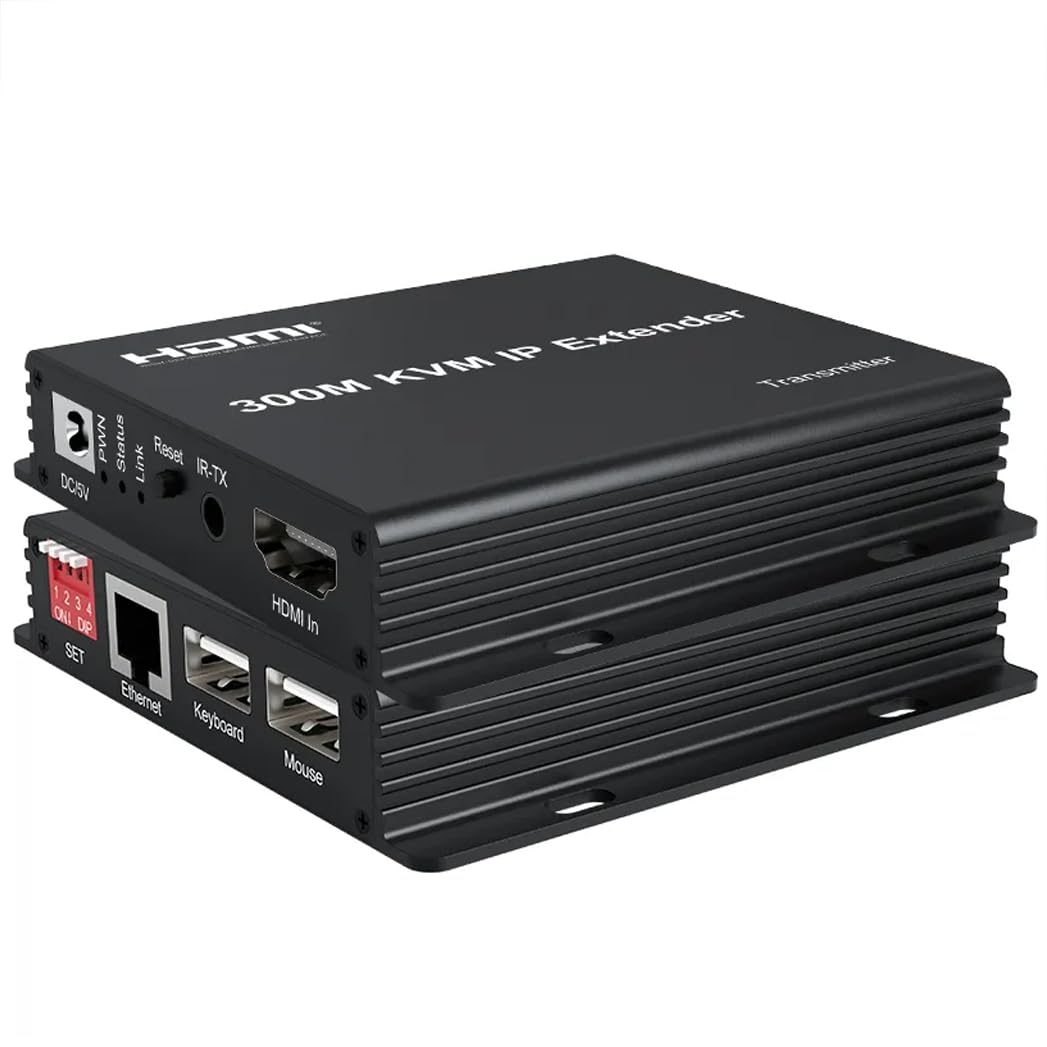
- Connect two pieces of 5V power supply to the transmitter and receiver, and power on Now the PWN indicator of the units is lightened; when the status indicator twinkling,link indicator light up, means the units start successfully.
₹5,400.00 ₹12,900.00
1 in stock
Compare300M HDMI KVM Extender over IP HDMI Extender 300M with IR
Support HDCP1.4.
Decoding mode MJPEG.
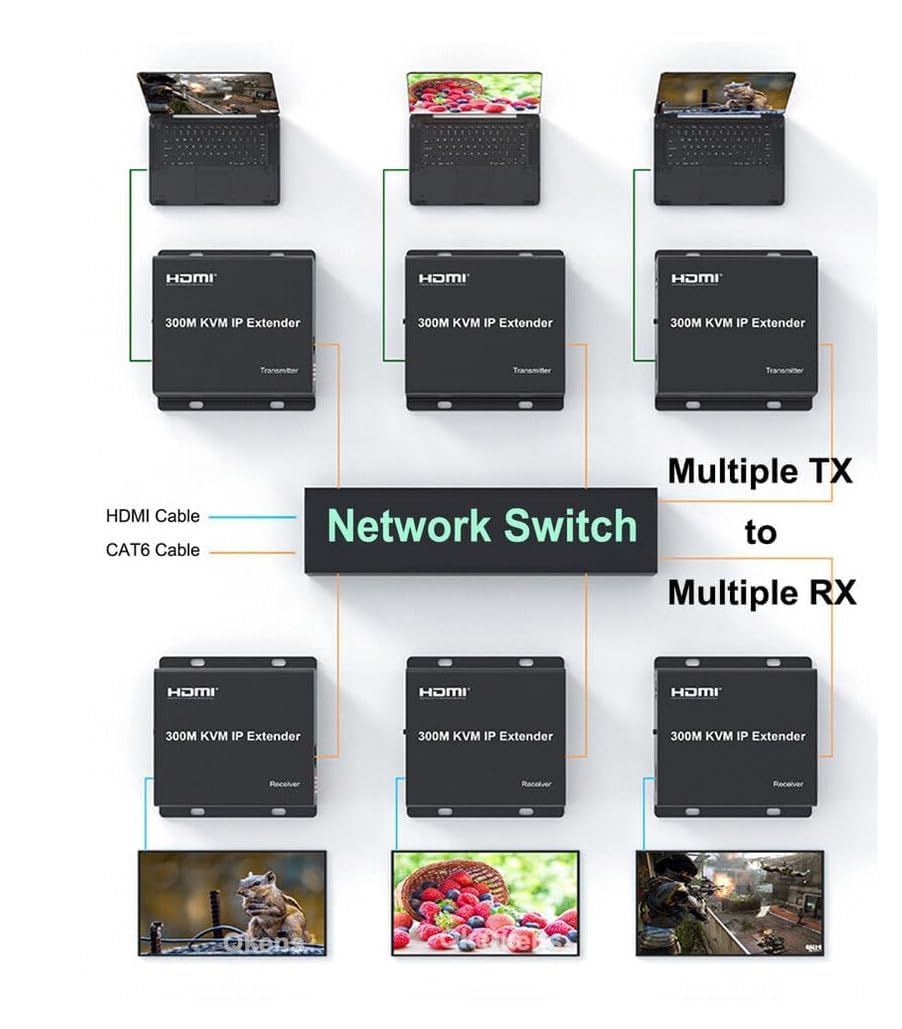
Support point-to-point mode, one point-to-multi point mode and cascade connection mode.
802.3 Ethernet standard.
Support IR remote control.
Support USB mouse and keyboard extension.
The design of pure hardware, plug and play, no need for additional software.
Connection and operation:
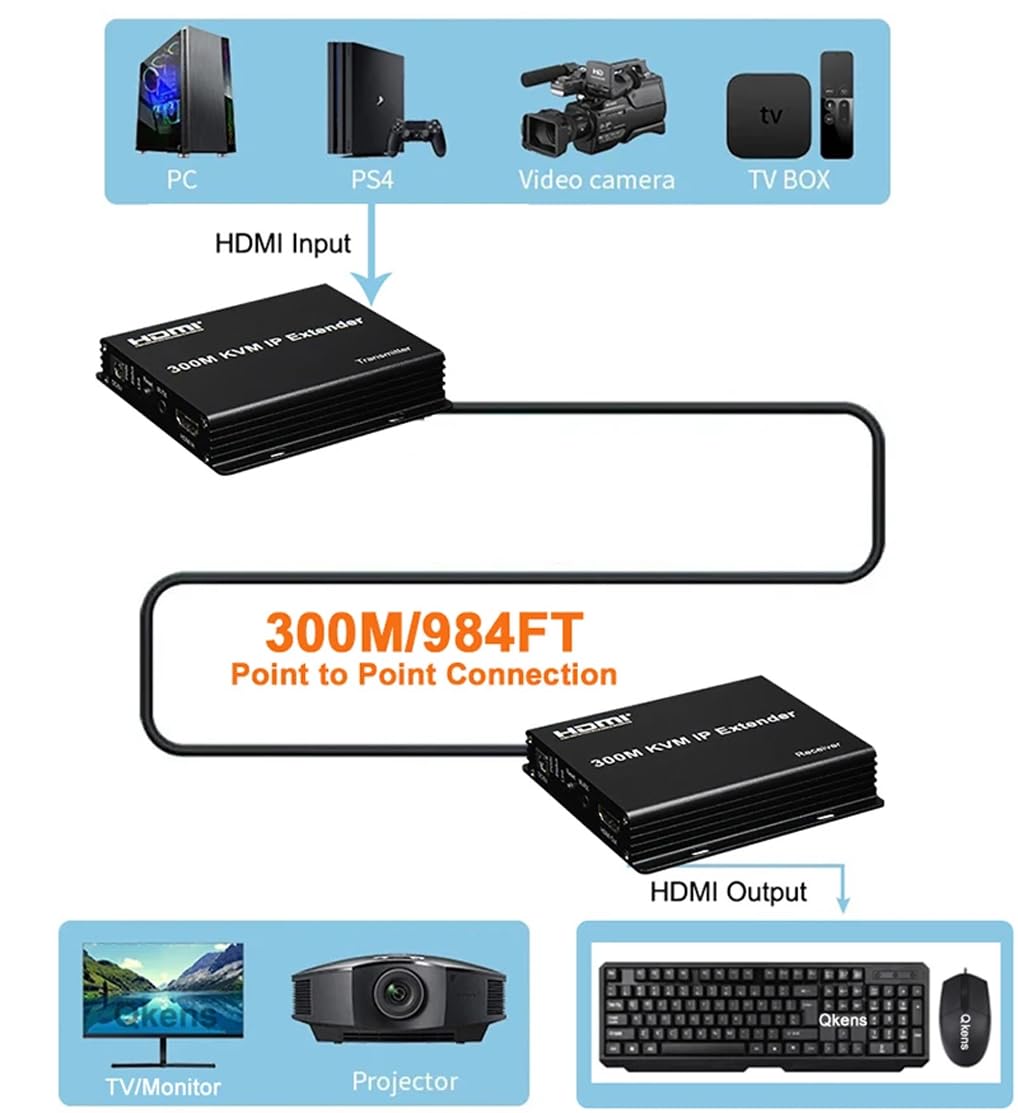
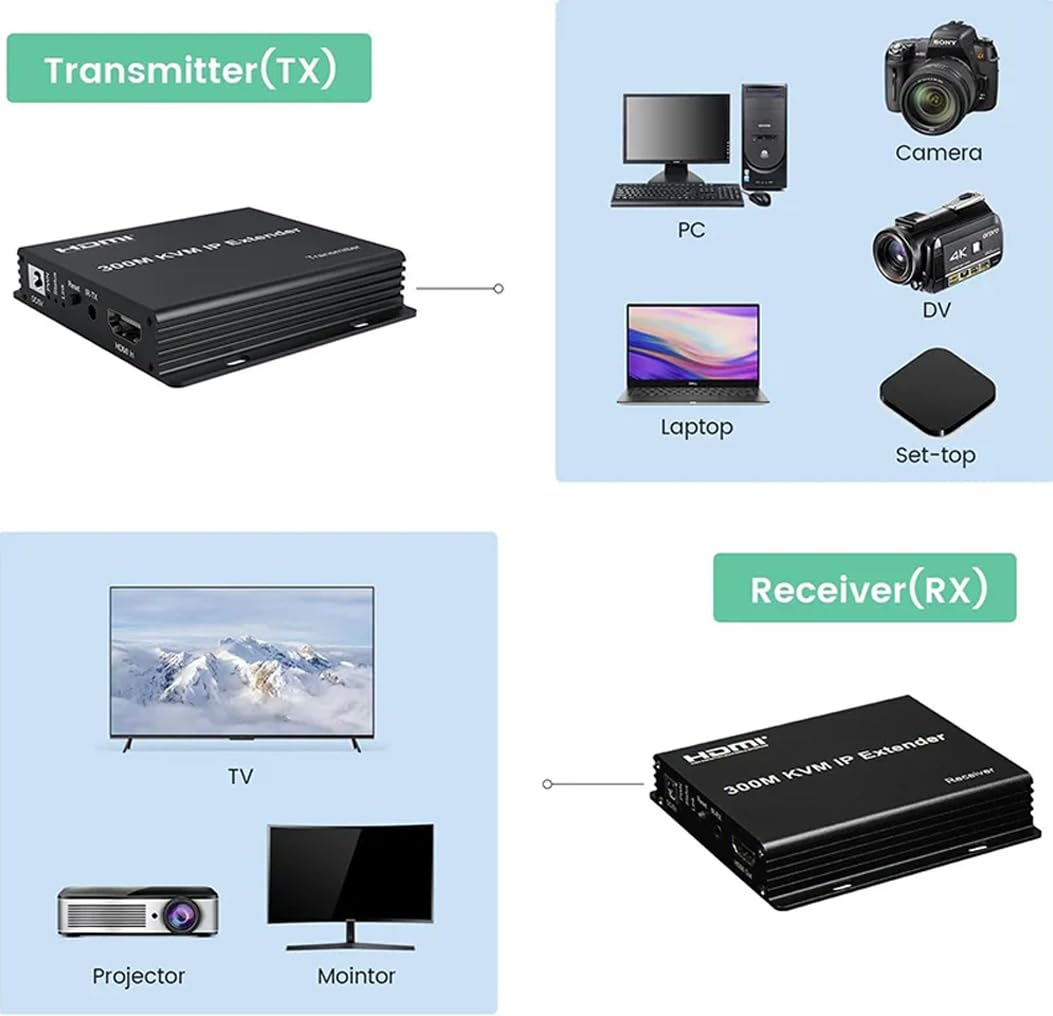
- Connect the HDMI source (such as DVD, PS3, STB) to the “HDMI IN” of transmitter by HDMI cable.
- Connect the “HDMI out” of Receiver to display by HDMI cable.
- Connect the Transmitter and Receiver with one cat5e/6 cable (recommend). the furthest distance is 300M.(SET DIP number 1-4 must be dialed downward.)
- Plug the IR receiver to the RX, and IR transmitter to the TX. Aim at the equipment which needs to be controlled if you need the IR control function.
- Plug the mouse and keyboard into the USB port of the RX, and connect the USB port of the TX with the computer if you need the KVM control function.
- Connect two pieces of 5V power supply to the transmitter and receiver, and power on Now the PWN indicator of the units is lightened; when the status indicator twinkling,link indicator light up, means the units start successfully.
- Multi-point to Multi-point pairing: when multiple TX and multiple RX connect with switcher and Multi-point to Multi-point pairing requested, please setting by SET dip switch or pairing the IP extenders by Web browser setting.
| Weight | 0.900 kg |
|---|---|
| Dimensions | 15 × 12 × 10 cm |
- 1. Connect the HDMI source (such as DVD, PS3, STB) to the “HDMI IN” of transmitter by HDMI cable. 2: Connect the “HDMI out” of Receiver to display by HDMI cable.
- Connect the Transmitter and Receiver with one cat5e/6 cable (recommend). the furthest distance is 300M.(SET DIP number 1-4 must be dialed downward.)
- Plug the IR receiver to the RX, and IR transmitter to the TX. Aim at the equipment which needs to be controlled if you need the IR control function. Multi-point to Multi-point pairing: when multiple TX and multiple RX connect with switcher and Multi-point to Multi-point pairing requested, please setting by SET dip switch or pairing the IP extenders by Web browser setting.
- If the product is defective, or sent wrong or any problem,pls contact us timely for solution 5.Plug the mouse and keyboard into the USB port of the RX, and connect the USB port of the TX with the computer if you need the KVM control function.
- Connect two pieces of 5V power supply to the transmitter and receiver, and power on Now the PWN indicator of the units is lightened; when the status indicator twinkling,link indicator light up, means the units start successfully.
Based on 0 reviews
Be the first to review “foxaa 300M IP HDMI KVM Extender by Rj45 Cat6 Ethernet Cable Video Transmitter Receiver Extension Muitlpoint Cascade Extender Support via Network Switch.”
You may also like…
- Computer Accessories, Computer Components
4K HDMI Switch Splitter 2 in 4 Out with Remote, 2×4 HDMI Splitter Switcher 4K with SPDIF & 3.5mm Audio,Support 4K,3D,1080p,HDCP2.2,HDR 10 for PS4,Xbox,Fire Stick,etc
-50% Computer Accessories, Computer Components
4K HDMI Switch Splitter 2 in 4 Out with Remote, 2×4 HDMI Splitter Switcher 4K with SPDIF & 3.5mm Audio,Support 4K,3D,1080p,HDCP2.2,HDR 10 for PS4,Xbox,Fire Stick,etc
- 【HDMI Switch 2 in 4 out HDCP 2.2】2 HDIMI input 4 HDIMI output 2X4 switcher splitter can easily streams video and audio from 2 HDMI devices to 4 HDMI display simultaneously .Supports HDCP 2.2 protocol compliant HDMI 2.0(Note: The four HDMI output ports can only display the same screen and split display is not supported.)
- 【Vedio &Audio】4K HDMI Switch Selector box supports up to Ultra HD 4k@60Hz resolution RGB/YUV 4:4:4 .,4k@30hz,Full HD 1080P,720P,3D, HDMI 2.0, It also supports 3.5mm and SPDIF audio output.
- 【Wide Compatibility】 2×4 HDMI switch box compatible with computer, Blu-ray player, DVD player, AV receiver, Roku streaming media player, TV Box, Play Station 3/4, PS5, Xbox One/360 or other HDMI compatible devices to your Ultra 4K TV (UHD TV), HDTV, monitor, display or projector with a big screen.
- 【Features】DOWNSCALING: HDMI switch 2 in 4 out can output 4k and 1080p at the same time.HDR 10: Help you enjoy a vivid visual world! All ZAMO products are backed by our 12-Month Product Warranty and you will always get friendly support.
- 【Plug and Play】 This 4K HDMI Switch is easy to set up and operate, just power it with AC adapter and connect your HDMI devices to enjoy! TWO-WAY SWITCH:Supports manual select input sources through a built-in button or use of IR remote controller without having to get up from your seat.
SKU: STCA00019 - Accessories, Computer Accessories, Computers, Laptops & Computers
4K HDMI 120M KVM Extender USB Mouse/Keyboard Extension 120M by Cat/RJ45/LAN/UTP Network Cable, IR Control, TX/RX 3.5MM R/L. (RTT-EXT-0095)
-70%Accessories, Computer Accessories, Computers, Laptops & Computers4K HDMI 120M KVM Extender USB Mouse/Keyboard Extension 120M by Cat/RJ45/LAN/UTP Network Cable, IR Control, TX/RX 3.5MM R/L. (RTT-EXT-0095)
- HDMI KVM Over IP Extenders, transmits 120 meters from your HDMI or DVI-D source to HD display by single CAT6/7 cable.Supports 1pcs of SENDER to 4pcs of RECEIVER (over Swtich).
- Extremely Easy Installation and Operation. You can control STB or Blue-Ray DVD at receiving site by remote control.there are 2 USB port,its a great convenience for long distance controlled by keyboard and mouse.
- Supports HDCP1.1/1.2 + Full HD 1080p+NEC+2x 5V/2A Power Supply (UK standard)
- The design of pure hardware, plug and play, no need for additional software. Just connect it correctly, it will show the same high definition signal.
- This HDMI KVM Over IP Extender is based on TCP/IP standard. It transmits max 120 meters from your HDMI or DVI-D source to HD display by single CAT5e/6 cable. At the same time, it’s also convenient to transmit HDMI audio and video source by point-to-point mode, one point-to-many mode and cascade connection mode.
SKU: STCA00021 - Accessories, Computer Accessories, Computer Components, Computers, Laptops & Computers
2×8 HDMI Matrix Switcher 2 in 8 out Splitter 4Kx2K Active Amplifier Extender Ultra HD 1080P 3D Audio Video Selector with IR Remote Adapter for HDTV PC Projector SKY Box PS4
-25%Accessories, Computer Accessories, Computer Components, Computers, Laptops & Computers2×8 HDMI Matrix Switcher 2 in 8 out Splitter 4Kx2K Active Amplifier Extender Ultra HD 1080P 3D Audio Video Selector with IR Remote Adapter for HDTV PC Projector SKY Box PS4
- This HDMI Switcher/ Splitter 2×8 can connect 2HD signal sources with 8HD display terminals. It can easily split 2-way HD signal sources to 8 HDTVs or projectors which support HD. It also can amplify the HDMI signal. The two input HD signal sources can be switched freely. The HDMI Switch/Splitter 2×8 can support highest video resolution 3840×2160/30hz
- Support HDMI1.4b,3D,highest video resolution 3840×2160/30Hz,3Gbps data rate and tmds clock up to 300MHz. Support 8/10/12 bit deep colorSupport AWG26 HDMI standard cable: When the resolution is 1080p and below, input up to 10metres,out put up to 15 metres; When the resolution is 4K,input up to 5 meters ,output up to 10 meters
- Support single high definition display and multiple output HD signal sources, such as DVD Players, A/V receivers and Set Top Boxes. Remote Control for operational flexibility and easy control,Need DC5V/1A power supply,Support video format: 8/10/12 bit deep color
- 2×8 HDMI Switcher Splitter can connect two HD signal sources with two HD display terminals, it allows two HDMI signals to be split or switched to two HDMI compatible monitors or projectors. HDMI cable connects with HDMI output , the 2×8 splitter can amplify the HDMI singal; supporting highest video resolution 1080p/60 Hz, HDMI1.4a, 3D, 4KX2K
- Compatible with fully HDMI 1.3/1.4 Specification compliant. buffer HDMI signals at the same time, HDMI or DVI to HDMI cables used for inputs and outputs. Included IR remote adapter for operational flexibility and easy control, no manual clicking the select button needed. Support single high definition display and multiple output HD signal sources, such as DVD Players, A/V receiversand Set Top Boxes, 360 Sky Box Freesat Virgin Bluray Player DVD HDTV Projector Camcorder HTPC Laptop
SKU: STCA00052 - Computer Accessories, Computer Components
foxaa 300M IP Extender, HDMI Extender over IP RJ45 Cat6 Cable 1080P HDMI to Ethernet Network Extender Support One TX to Many RX via Network Switch (TX+RX)
-64%Computer Accessories, Computer Componentsfoxaa 300M IP Extender, HDMI Extender over IP RJ45 Cat6 Cable 1080P HDMI to Ethernet Network Extender Support One TX to Many RX via Network Switch (TX+RX)
- 300M IP Extender: 300M long distance transmission, supports one-to-one, one to many, several to many and cascading transmission.
- MJPEG decoding: stable performance, standard 802.3 Ethernet protocol. 1920*1080 HD transmission / 60Hz resolution, more delicate color image output, realistic picture quality.
- Multi-system compatibility: compatible with Windows, Mac OS, Linux and other systems without the need to install drivers, plug and play.
- Support Point-to-Point Mode, Point-To-MultipointMode, Multipoint-to-Mulipoint Mode And Casecade Connection Mode.
- Scenic application: suitable for home sharing, TV sales, advertising display, multimedia education and other applications.
- Safety protection and high efficiency: anti-static technology to prevent damage to electronic components by static electricity. Anti-surge technology to improve product stability and prevent the impact of surge. 1080P/60Hz, enjoy the HD visual experience of the delicate world. Purely hardware devices, multiple splicing modes, plug and play.
SKU: STCA00222 - Accessories, Computer Accessories, Computers, Laptops & Computers
200 Meter KVM 3D HDMI Extender Cat6 KVM Over TCP/IP HDMI Extension Cable Ultra Clarity 2. 0 with Ethernet Up to 390ft Support 3D Full HD 1080P 2Pack with Sender and Receiver
-57%Accessories, Computer Accessories, Computers, Laptops & Computers200 Meter KVM 3D HDMI Extender Cat6 KVM Over TCP/IP HDMI Extension Cable Ultra Clarity 2. 0 with Ethernet Up to 390ft Support 3D Full HD 1080P 2Pack with Sender and Receiver
- Transmits max 200 meters from your HDMI or DVI-D source to HD display by single CAT5e/6 cable. At the same time, it’s also convenient to transmit HDMI audio and video source by point-to-point mode, one point-to-many mode and cascade connection mode.
- Support IR control, you can control STB or Blue-Ray DVD at receiving site by remote control.Support HDMI 1.3/HDCP1.1&1.2 point-to-point mode, one point-to-many mode and cascade connection mode.
- 802.3 Ethernet standard,The design of pure hardware, plug and play, no need for additional software.
- Support IR remote control 38KHz,NEC,long distance controlled by keyboard and mouse.
- This HDMI KVM Over IP Extender is based on TCP/IP standard. It transmits max 120 meters from your HDMI or DVI-D source to HD display by single CAT5e/6 cable. At the same time, it’s also convenient to transmit HDMI audio and video source by point-to-point mode, one point-to-many mode and cascade connection mode.
SKU: STCA00020


Related products
- Computer Components
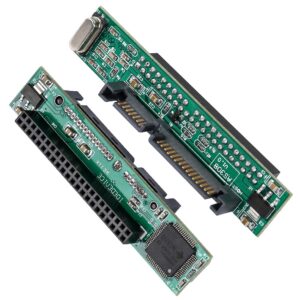
2.5″ Inch IDE to SATA Adapter, Convert Laptop 44 Pin Male IDE PATA HDD Hard Disk Drive SSD to a Serial ATA Port
-62%Computer Components2.5″ Inch IDE to SATA Adapter, Convert Laptop 44 Pin Male IDE PATA HDD Hard Disk Drive SSD to a Serial ATA Port
- One 22 Pin male SATA connector,One 44-Pin standard female IDE connector.
- IDE to SATA Adapter. The 44-Pin IDE 2.5″ HDD to SATA Adapter can allow you use your laptop 2.5″ IDE hard disk as SATA disk. You can use your 2.5″ IDE hard disk in the laptop or desktop which have SATA connector.
- Adapter is good for up grading an old computer with 2.5 inch IDE HDD to a new 2.5 inch SATA HDD.
- Great for computers that use 44 pin IDE connector and require an upgrade to new SATA 2.5 Inch Drives.
- Dimensions: 2.72″ x 0.55″ x 0.69″.
SKU: STCA00005 - Computer Components, Smartphones
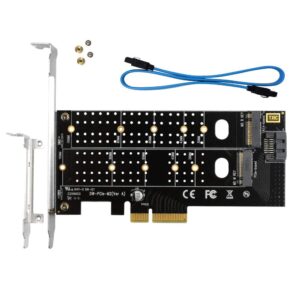
Dual M.2 PCIe Adapter, M.2 NVME SSD (M Key) or M.2 SATA SSD (B Key) 22110 2280 2260 2242 2230 to PCI-e 3.0 x4 Host Controller Expansion Card with Low Profile Bracket for PC Desktop
-67%Computer Components, SmartphonesDual M.2 PCIe Adapter, M.2 NVME SSD (M Key) or M.2 SATA SSD (B Key) 22110 2280 2260 2242 2230 to PCI-e 3.0 x4 Host Controller Expansion Card with Low Profile Bracket for PC Desktop
- You could use M.2 NVME SSD & M.2 SATA SSD at the same time with this adapter on the motherboard without M.2 slot
- Up to 3200+ MB/s random Read and 1500+ MB/s Write with NVME SSD, perfect upgraded kit for PC
- Up to 420 MB/s random Read and 350 MB/s Write with M.2 SATA SSD
- Support both SATA or PCIe M.2 SSD 2230 2242 2260 2280 22110 (Please connect the motherboard with the SATA cable if you insert the M.2 SATA SSD (based B key))
- Support Windows XP/7/8/10 /Linux. ( Support Windows XP / 7 / 8 / 10, NO driver required ( Please go to the SSD’s website and find and install the NVMe driver for Windows/Linux OS if no drives appear in the Device/Disk manage ) )
SKU: STCA00013 - Computer Components, Mac Computers
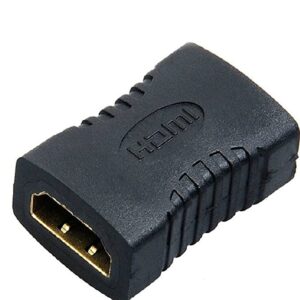
HDMI Adapter Female to Female Extender Jointer Black (Black)-PID39261
-72%Computer Components, Mac ComputersHDMI Adapter Female to Female Extender Jointer Black (Black)-PID39261
- HDMI Adapter Female to Female Extender Jointer Black
- Color:Black, Model:HDMI Adapter Female to Female Extender Jointer
- HDMI Female to Female Extender Jointer is a complete tool equipped to support advanced HDMI features such as 3D, 4K, Full HD 1080p, and Audio Return Channel. The cable is made of a PVC outer layer that protects from physical strain, external interference and maintains efficiency of the digital signal. It is suitable for connecting Blu-ray players, Fire TV, PS4, PS3, XBox one, Xbox 360, Laptop, PC, Monitor, Projector and other HDMI-enabled devices to TVs, Displays, A/V receivers, and more.
- This cable meets HDMI 2.0 standards (4K Video at 60 Hz, 2160p, 48 bit/px color depth) that support bandwidth up to 18Gbps and backwards compatible with earlier versions.. This product is genuine, compatible and operates very effectively
SKU: STCA00012 - Computer Accessories, Computer Components
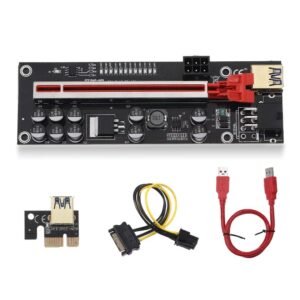
Riser Card V011-PRO, PCI-E 1X to 16X Riser Card, for Bit-Coin Ethereum Mining ETH,10 Capacitors, with 0.6 m USB 3.0 Extension Cable & 6PIN SATA Power Cable – GPU Extender Riser Card
-74%Computer Accessories, Computer ComponentsRiser Card V011-PRO, PCI-E 1X to 16X Riser Card, for Bit-Coin Ethereum Mining ETH,10 Capacitors, with 0.6 m USB 3.0 Extension Cable & 6PIN SATA Power Cable – GPU Extender Riser Card
- 𝐏𝐂𝐈-𝐄 𝟏𝐗 𝐭𝐨 𝟏𝟔𝐗 𝐑𝐢𝐬𝐞𝐫 𝐂𝐚𝐫𝐝 :- V011-PRO Version PCIe riser Card are the best solution for setting up Ethereum/Bitcoin and other GPU mining rigs.
- 𝟏𝟎 𝐜𝐚𝐩𝐚𝐜𝐢𝐭𝐨𝐫𝐬, 𝐬𝐚𝐟𝐞𝐫! :- The graphics card power supply adopts 10 imported large solid capacitors to make the graphics card power supply more stable and safe.
- 𝐌𝐮𝐥𝐭𝐢-𝐢𝐧𝐭𝐞𝐫𝐟𝐚𝐜𝐞 𝐩𝐨𝐰𝐞𝐫 𝐬𝐮𝐩𝐩𝐥𝐲 :- Dual 6PIN port power supply makes the power supply of the graphics card independent of the motherboard, thereby reducing the burden on the motherboard when connecting multiple graphics cards.
- 𝐑𝐮𝐠𝐠𝐞𝐝 𝐂𝐚𝐛𝐥𝐞 :- 60 cm USB 3.0 cable for flexible placement of PCI-E devices. The PCI-E connector uses multi-layer shielded wire, which can be connected up to 3M without signal attenuation.
- 𝐒𝐮𝐩𝐩𝐨𝐫𝐭 𝐒𝐲𝐬𝐭𝐞𝐦 : Compatible with all WINDOWS systems, LINUX, MAC
- Free Shipping, 15 Days Replacement Warranty.
SKU: STCA00039

There are no reviews yet.